Keep your API tokens and any other credentials safe by storing them securely in environment variables. Never commit your credentials directly in your code or they might be stolen!
Sign in to use Study Buddy
This lesson is a reference guide. Skim the lesson quickly now, and, when we need these steps, later lessons will link back to this guide.
Many times we have API credentials or other sensitive information that we don’t want to paste directly into our code, because then the information would be exposed on GitHub. Unsavory types like to scrape GitHub for sensitive information like API keys and run up huge bills for compromised users.
Instead, we’ll store this information in environment variables, which means it lives on the computer somewhere separate from our code, and then our code will read the variables to access it.
In Ruby, the way to access environment variables is via the ENV hash. The ENV hash is available to you everywhere in your Ruby (and eventually Ruby on Rails) codespaces projects. The keys in the hash are the names of any environment variables that exist on the computer or codespace you’re using, and the values are the contents of the variables.
For example, if there was an environment variable on your computer called zebra that had a value of giraffe, this is how you would access it:
The .env environment variables file
You can load environment variables into your code by creating a new file called .env in the top level of your project (i.e. not within any subfolder).
Be sure you name the file exactly .env! With the . at the start. We included a special file in all of our projects called .gitignore that tells Git to ignore any files named exactly .env. This is a way to keep sensitive information out of your GitHub repository: it will never be committed and published to GitHub.
After you create the file, you should see that it is a muted color in the explorer, which means it is being ignored by Git:
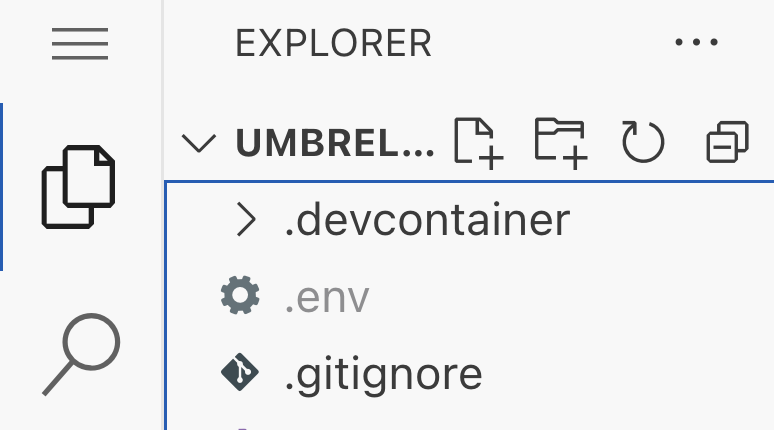
Open the file and add your key/value pairs separated on new lines like this:
.env
1
2
GMAPS_KEY="your-key"
OPENAI_KEY="your-other-key"
Plain Ruby test for variable loading
Working on a Rails project? (i.e. not just a plain Ruby script?)
If you are working in a Rails project, skip this part, do not make the env_test.rb file, and go directly to the next section below.
In Ruby, we can load environment variables into our code using the dotenv gem.
1
gem install dotenv
or:
Add gem "dotenv" to your Gemfile and run bundle install.
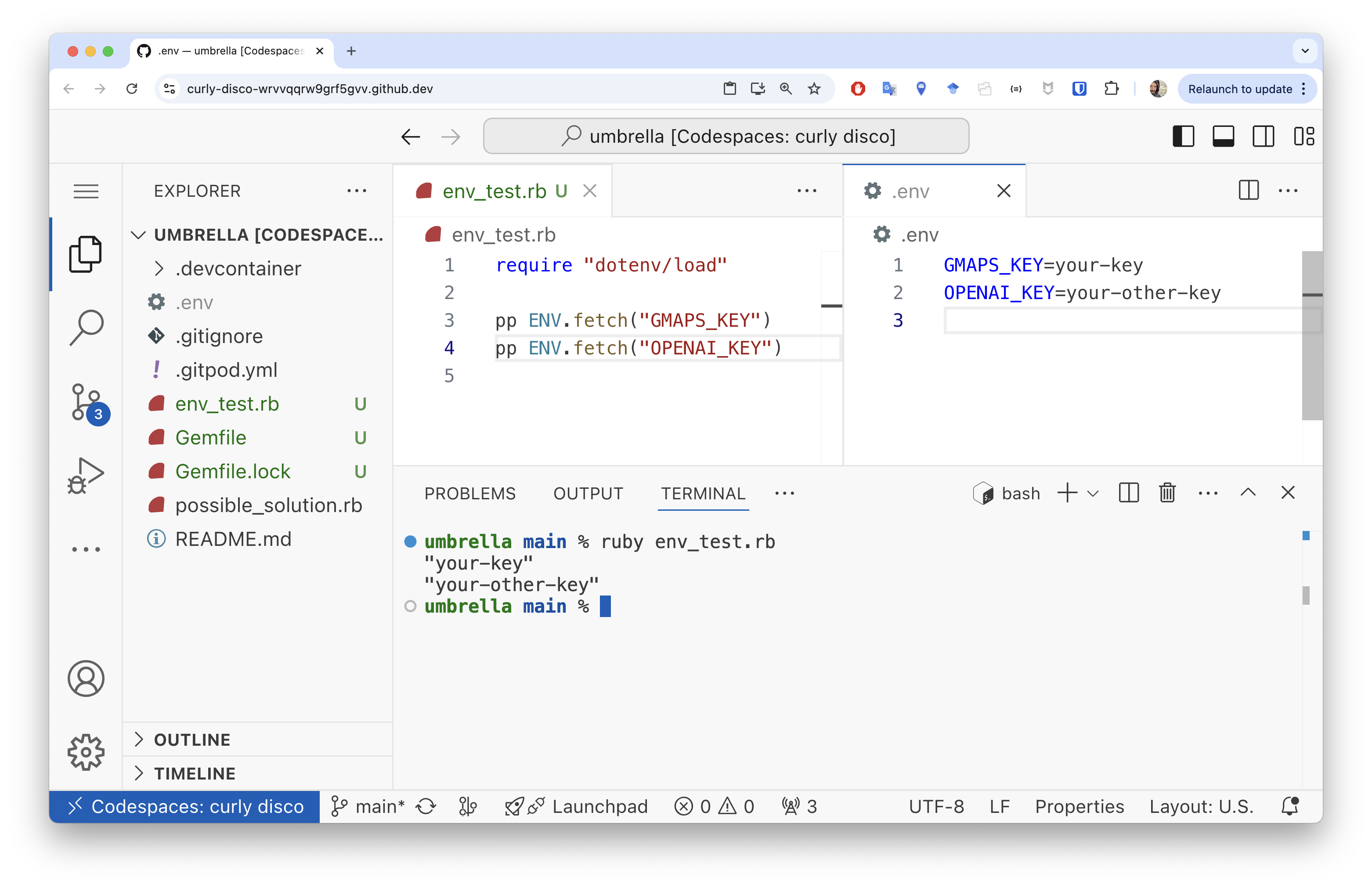
Once you have the dotenv gem installed, and you’ve created the .env file and added your keys, you can test to make sure you’ve configured everything properly by creating a new Ruby file, env_test.rb, and adding this code:
env_test.rb
1
2
3
4
require "dotenv/load"

pp ENV.fetch("GMAPS_KEY")
pp ENV.fetch("OPENAI_KEY")
Then run that file in the terminal with ruby env_test.rb. If you set things up correctly, you should see the values of your environment variables printed to the terminal:
Loading environment variables in Ruby on Rails
In Ruby on Rails, you can load environment variables into your code by creating a new file called .env in the top-level of your project (i.e. not within any subfolder, but at the same level as the Gemfile, etc.). Our Rails projects already have the dotenv gem included in the Gemfile, so just follow the previous steps to create the .env file and add your environment variables.
In Rails, you can skip any require "dotenv/load" lines, because Rails loads environment variables automatically.
So, in Rails, just create .env and that’s it!
If you add a new environment variable to your .env file while a live app preview is running with bin/server, you will need to restart the live app preview for the new environment variable to be loaded in your code.
Assessment Details
Review your overall progress for this lesson
| Assessment Title | Earned Points | Current Progress | Assessment Points |
|---|---|---|---|
| This is just a guide | 0.0 |
|
1 |
| Fetching an environment variable in Ruby | 0.0 |
|
1 |
| Totals | 0 | 0% | 2 |