Sign in to use Study Buddy
For an overview of First Draft, visit our welcome page.
Here, we’ve collected some detailed responses to common questions about our work. You can use the “Chat with Study Buddy” feature in the bottom right corner if you have more questions, or drop us a line at contact@firstdraft.com.
Hasn’t AI made learning to code pointless?
In February 2024, Jensen Huang (CEO of Nvidia), speaking at a conference, said that it is no longer vital for young people to learn computer science:
It is our job to create computing technology such that nobody has to program. And that the programming language is human. Everybody in the world is now a programmer. This is the miracle of artificial intelligence.
— Jensen Huang
This statement from Huang spawned a thousand posts on LinkedIn proclaiming the death of programming. These hot takes are almost always from people who are 1) non-programmers, and/or 2) have something to gain by hyping up AI (like Huang himself). Coincidence?
The standard rebuttals to the argument that we don’t need to learn how to code anymore are:
-
AI can do easy, routine things, but not hard, novel things.
-
AI makes a lot of mistakes and sub-optimal decisions that need to be fixed by human developers.
-
AI is incapable of making high-level architectural and strategic decisions; that’s most of what a senior developer does, not writing code.
Here is a representative example of these arguments: The Recurring Cycle of ‘Developer Replacement’ Hype. Given the current state of AI, I mostly agree. But is it another coincidence that most of the people making this argument are software engineers?
These contradictory positions bring to mind the old quote:
It is difficult to get a man to understand something, when his salary depends on his not understanding it.
— Upton Sinclair
As someone who teaches programming, I’ve got a horse in the race, too, so I don’t claim to be completely unbiased, either. That said, here’s my take:
I think there are two possible futures:
-
In one future, the capabilities of AI plateau before they reach the level of a senior developer.
-
In the other future, AI becomes indistinguishable from a world-class senior developer. You can “hire” it, tell it your ideas, and it will do all the things that a senior developer does — user and market research, helping design a solution, pushing back on things that are impractical, implementation, deployment, gathering feedback, measuring performance, iterating, etc.
In the first future, I think it’s pretty clear that there will still be value in learning how to code. AI will become another tool in a developer’s kit, greatly enhancing productivity and expanding the possibilities of what we can build.
But what about in the second future? Is there any point to learning to code if you have a team of tireless, cheap senior developers in your pocket at all times that you can order to build whatever you want built?
I still think yes, because:
Understanding how technology works changes how you see the world, and thus what you want to build. I only realized this after I learned how to code myself. I had always been an “ideas guy,” and that’s why I wanted to learn how to program in the first place.
But after I learned, my ideas changed. I liken it to photography: I’m an amateur photographer, and when I carry my bulky DSLR camera around with me, it changes the way that I look at the world. I’m always on the lookout for a shot, paying attention to things that I don’t usually: shadows and light, reflective surfaces, passers-by.
Similarly, learning to code completely changed the ideas that I had for products and startups that I wanted to build. I had a sense of what was possible, what was hard, and what was easy. It gave me the vocabulary I needed to keep track of the latest technological developments, and identify promising places to apply them. It made me a better noticer.
So, until AI can see through your eyes, observe all the pain points in your life, and come up with ideas for you, I think there will still be value in learning to code. Who knows; maybe that day will come. But I think it is at least 10 years away.
And, these next 10 years will be especially important, during which time knowing how to code is going to be even more of a superpower than it’s always been.
This is a critical moment to be a technologically-empowered noticer: we’re at the beginning of a revolution, like in 1995 (internet) and 2008 (iPhone). Nearly every business and personal workflow is going to be affected by AI, and there are a lot of low-hanging fruits waiting to be picked. This revolution is happening, whether we like it or not; it’ll be much more fun to be a participant than merely a spectator.
So, perhaps unsurprisingly, my opinion is that the rise of AI makes this the best time ever to learn how to code.
Can I use AI to help me do the assignments in this course?
Yes! This is another reason why it may be the best time ever to learn to code — having AI is like having a smart and tireless learning partner by your side at all times.
AI can also be detrimental to learning, though; it must be used with care. Here are a few guidelines that I ask you to follow:
Use our AI, not just any AI
We call our AI learning assistant “Study Buddy,” and you can chat with it at any time by clicking the button at the bottom-right corner of the lesson (including the one you’re reading right now). Here, let me show you how it works:
There are many reasons to use Study Buddy rather than ChatGPT or any other external AI assistant:
-
We’ve done a lot of work to fine-tune Study Buddy to be excellent for beginners, and specifically excellent on our course materials. (We’ll teach you the technical meaning of “fine-tuning,” and how to do it yourself, as part of our AI learnings.)
-
Study Buddy knows what you’re working on when you ask a question (because you ask it right here, in First Draft, while you’re reading a lesson), so Study Buddy can provide a much better answer than any external assistant, which will lack needed context.
-
Under the hood, Study Buddy uses the same AI models that ChatGPT does, but Study Buddy always uses the best, most up-to-date version. If you’re on the ChatGPT Free or Plus plan (i.e., if you’re not on the $200/month Pro plan), you’re probably not using the best model.
-
There are no usage limits with Study Buddy. Most of the external assistants (ChatGPT, Claude, Gemini, etc) will throttle your usage or move you to a less capable model after some quota.
-
Most importantly: First Draft teachers are still in the loop when you ask Study Buddy a question. We monitor threads, and can step in when the AI provides an incomplete or misleading answer, or when there’s a question that only we can answer.
So please, if you’re going to use any AI, use Study Buddy!
AI should be a spotter, not a forklift
Imagine you want to become physically stronger, so you purchase a gym membership and hire a personal trainer. Would you then ask your trainer to lift the weights for you? Of course not!
You should use AI like a trainer, to spot you — not like a forklift, to do all the work. If you get AI to do all the thinking and struggling for you, you won’t grow. At some point, you’ll be working on something that AI can’t help with; if you haven’t built your own “muscles” by then, you’ll be stuck.
Our rule: struggle for no less than 5, no more than 15
For the first 10 years I taught this course, pre-ChatGPT, I had a rule: you were only allowed to struggle with something for a maximum of 15 minutes before you asked a question. This rule was there to encourage students to ask tons of questions, to not be embarrassed of asking so-called “dumb” questions, and to not worry about “bothering” us — we love questions.
Now, with AI, you can get answers instantly, at any time of day or night — which is great! But it also makes it easy to fall into the trap of continuously copy-pasting back and forth between AI and your code editor (even I fall into this trap sometimes). That cheats you of the learning that the projects are designed to cultivate.
So, I’ve added another clause to the rule: you should avoid getting help from AI until you’ve struggled with it yourself for a minimum of 5 minutes. We’ve found that the “min 5, max 15” rule results in a productive amount of struggling.
What exactly are we going to learn?
You will learn full-stack app development. We will primarily use the Ruby on Rails framework, but you’ll be exposed to lots of other languages and tools that full-stack developers need to know: HTML, CSS, SQL, Git, JavaScript, APIs, and more. Towards the end you’ll also learn native (iOS and Android) app development.
Why full-stack app development?
There are a few common approaches to teaching beginners how to code:
-
For younger audiences, visual “block-based” programming, often focusing on creating games or interactive stories.
-
Gold standard examples: MIT’s Scratch and CMU’s Alice.
-
-
In high school or college, an introduction to computer science, often focusing on fundamentals like data structures and algorithms.
-
A gold standard example: Harvard’s CS50.
-
-
Later, tutorials on individual languages like the ones found on Codecademy are often recommended.
For a certain kind of entrepreneurial, impatient learner (like me), none of these are satisfactory, because if your goal is to build a real, functional app, they all leave you wondering, “Okay, what next?”
For that kind of learner, “learning to code” means learning to build the kinds of apps they use most frequently. That could mean things like Xbox games or Adobe Photoshop, but in today’s world, for most folks, it means web and mobile applications like Instagram, ChatGPT, Airbnb, Slack, YouTube, etc.
So that’s what we’re gonna do: learn how to build web and mobile applications, and, crucially, learn full-stack app development — not just front-end, or back-end, or systems administration, or databases, or individual languages, or computer science fundamentals. The whole stack, end-to-end, so that you can stand up a fully-functional app by yourself.
And, the skills you learn in web development will prepare you for nearly any programming path you might want to take in the future.
Will we be working with AI?
One of the most empowering things about web programming is learning how to integrate services from other companies into our software, through Application Programming Interfaces (APIs). This greatly increases the power of the apps that we build. We’ll be able to send text messages with Twilio, pull real-time traffic conditions and routes from Google Maps, and a whole lot more.
And, astonishingly, that also means that we’ll be able to integrate the latest, most cutting-edge Artificial Intelligence models in the world, because they are all accessed through very straightforward APIs. We’ll learn how to use models from OpenAI, Google, and Anthropic, and you’ll start integrating them into your programs by the third week of the course.
Week by week, we’ll introduce more and more AI capabilities: natural language input and output, image input and output, PDF and other file input, structured output, function calling, tool use, model context protocol. Probably none of these mean anything to you right now, but they will soon — and you’ll see that the things we can build with them are amazing.
This past time I taught the course in person, over 3/4 of the capstone projects integrated AI. I only expect that number to grow over time, as AI seeps into nearly every business and personal workflow.
(In this course, we won’t be learning how to develop our own AI models from scratch. Very few companies do that, anyway. If you discover that you’re interested in AI research, we have excellent resources that you can get into afterwards.)
What aren’t we going to learn?
Some things that we won’t explicitly address in this course:
-
Data analysis.
-
Visual design (beyond the very basics).
-
Computer science.
-
Cybersecurity.
But the foundation you lay in this course will serve you well if you decide to pursue any of those later.
In this course, we focus on teaching everything you need to stand up an app, and nothing you don’t. Later, you can decide what to go deep on.
What will I be able to do with what I learn?
By the end of this course, you’ll have the technical foundation to build a basic version of pretty much any web app, from ideation to deployment. Having a solid understanding of full-stack development opens up many different paths, and not just in software engineering.
While some folks transition immediately to working in tech, this course does not claim to completely prepare you for a job in software engineering. Instead, we think of it as a robust introduction, after which you’ll be more than ready to:
-
Work effectively with developers in a tech-related role.
-
About 80% of our alumni apply their technical skills in adjacent fields, such as product management, user experience, tech sales, developer relations, quality assurance, and customer success.
-
-
Continue to learn software engineering on a part-time, project-oriented basis.
-
About 15% of our alumni level up their programming skills, expanding their portfolio to include multiple iOS/Android mobile apps, JavaScript- and Python-based projects, and more.
-
-
Pursue software engineering in a full-time, intensive capacity.
-
About 5% of our alumni decide to seriously commit to this path, using resources to provide to become professional full-stack developers independently or on real teams.
-
Whichever path you choose, we have lots of resources and guidance to offer.
Why Ruby / why not Python, NodeJS, Java, etc?
There are many programming languages we could have chosen — Python, JavaScript, Java, Go, dozens of others — but Ruby has a lot of advantages for beginners:
Developer happiness
Here’s a quote from Yukihiro Matsumoto (a.k.a. “Matz”), the creator of Ruby:
Often people, especially computer engineers, focus on the machines. They think, “By doing this, the machine will run faster. By doing this, the machine will run more effectively. By doing this, the machine will something something something.” They are focusing on machines. But in fact we need to focus on humans, on how humans care about doing programming or operating the application of the machines.
— Yukihiro Matsumoto, The Philosophy of Ruby
Matz’s focus when he designed Ruby was on “developer happiness,” which was pretty bold back in 1995, when Ruby was first released. Optimizing for human readability rather than computer readability meant paying a cost in terms of performance — and computers were slow back then — but Matz didn’t care. He wanted to create a language that he enjoyed reading and writing.
By the mid-2000s, computers had become fast enough to run Ruby just fine for web apps. And by now, computers are unbelievably faster than they were 20 years ago, and Ruby has gotten much more performant at the same time. So we beginners can have the best of both worlds: the readability of Ruby and plenty of performance to build web apps (if Ruby was fast enough 15+ years ago for Twitter v1 or Airbnb v1, then it’s more than fast enough for our apps now!).
From a business perspective, servers are very cheap, while developers are very expensive — so you should pick the language that makes developers the most productive.
Besides, the hard part about learning to program for the first time is grasping the basic concepts of programming. Once you’ve learned those, it’s much easier to pick up your second and third languages.
If you decide to go further down the road towards becoming a professional software engineer, we will translate our Ruby knowledge into other languages: Python, Node.js, Java, and others. We won’t be one-trick ponies; we’re going to become powerful, polyglot programmers, as all good engineers are.
So: the important thing when you choose your first language is to choose one that is most conducive to learning. I think that, for most learners, Ruby is that language.
Ruby on Rails and other libraries
People often ask, “What’s the best language for Task X?” where “Task X” might be “web apps,” “data analysis,” “game programming,” or any number of things.
Depending on the task, the technical features of a particular language might make it particularly well-suited, but that is rare. In general, any programming language can do anything that any other programming language can.
An exception is when the owner of a platform only allows a particular language. For example, Apple only allows Swift, Objective C, and JavaScript to run on iOS. However, there’s another, more important consideration: which language has the largest community of developers doing Task X?
More community means that other people have already solved many of the problems you’ll face, so there might be code out there that you can borrow instead of having to write it all yourself. Pre-written code that you can borrow is known as a library or package. In Ruby, we call them gems.
Also, if there’s a big community doing Task X in a given language, then there will be more blog posts, more answers when you Google a question, more AI training data, etc.
So when you’re choosing which language to use for a particular job, the most important consideration is: what language are other developers already using for that job?
For example, Python and Ruby are very similar languages in terms of their technical features and performance profile. However, simply by historical accident, Python has gathered more of the scientific, data analysis, and AI communities around it. So, more open-source libraries in those areas have been developed and shared in Python than in Ruby, and now Python has become the go-to language for those tasks.
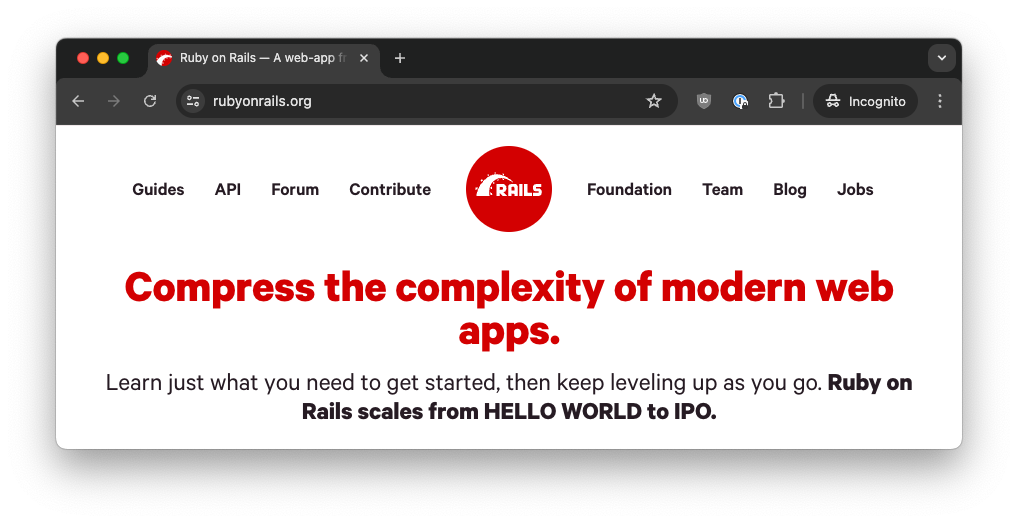
On the other hand, for the rapid development of web applications, Ruby has a huge and thriving community. In particular, there is a framework for building web applications called “Ruby on Rails.” The goal of Ruby on Rails is to make it possible for a single person — a full-stack developer — to create powerful, industrial-grade applications. That might seem surprising, as a goal — doesn’t every framework want that?
Actually, no: most frameworks don’t make it their primary ambition to be useful to solo developers. Their goals might be to be minimize hardware costs, or to allow large organizations with many teams to split up work more easily, but no other framework prioritizes the solo, full-stack developer to the extent that Ruby on Rails does. It’s the very first thing on the Ruby on Rails homepage:
And here is the closing slide of the opening keynote of the Rails World 2023 conference:
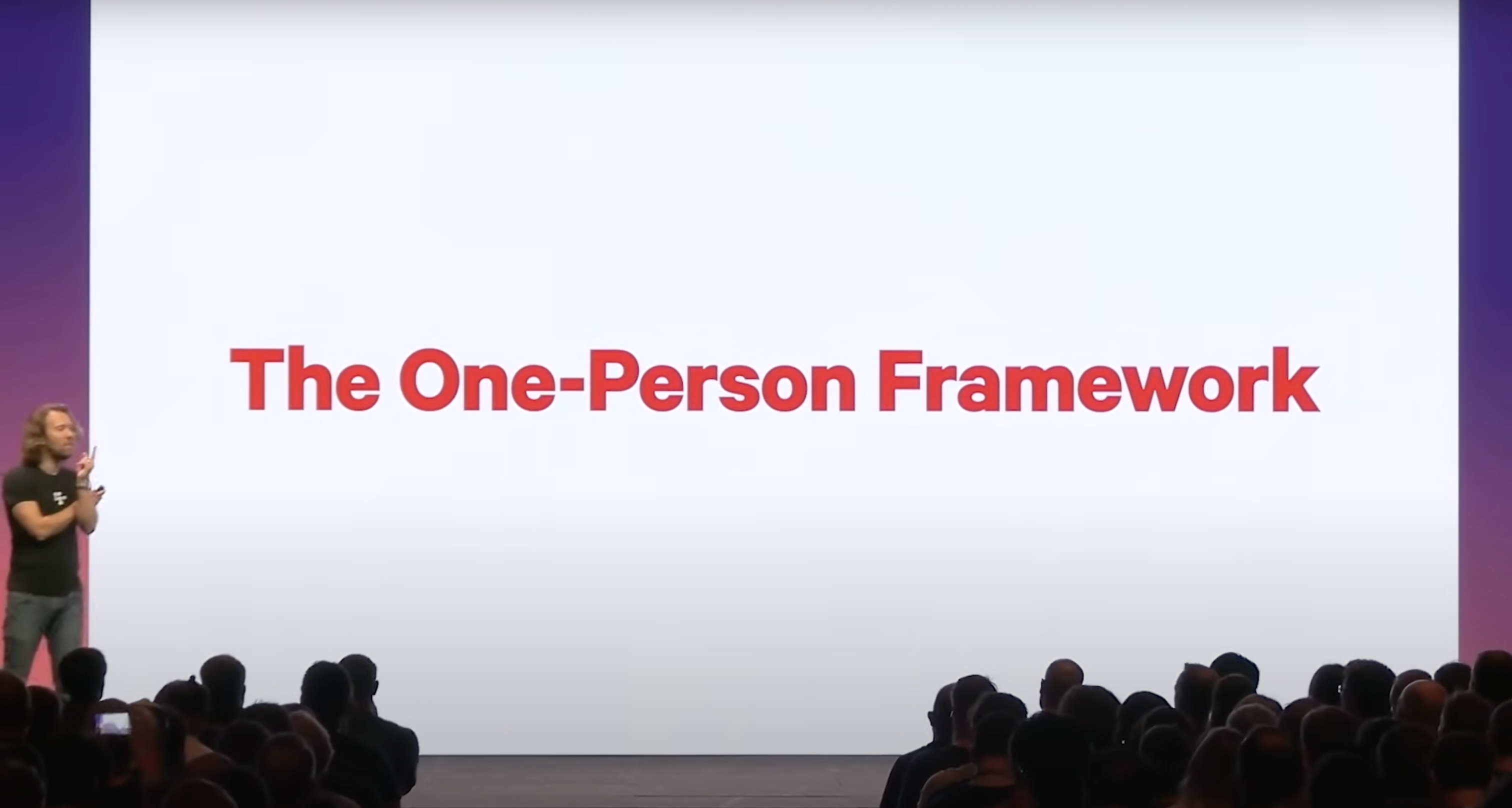
That is David Heinemeier Hansson, the creator of Ruby on Rails, presenting. He is making the point that he and all of the thousands of other developers who contribute to Rails are working in service of:
…the ideal that Rails should be a one-person framework. That one individual should be able to make everything happen, from start to end. To be able to go from zero to one.
— David Heinemeier Hansson
How does Rails achieve this? One of its core principles is “convention over configuration” — it makes a lot of decisions on your behalf, and if you go with the flow, then things “just work.” (If you want to fiddle with settings, you can, to your heart’s content, but you don’t have to spend hours or days doing so before you can even start up your web server, like you do in most other frameworks.) You can focus on building the unique features of your application, not on the plumbing that’s common to all applications.
To sum up: the reason I start beginners with Ruby on Rails is that it is the only framework whose raison d’être is to empower solo developers to build great things. That is exactly what beginners need — the ability to build real, useful applications, as quickly as possible.
And, there are a lot of other powerful, easy-to-use Ruby libraries that have philosophies similar to Rails’. Ruby seems to have gathered a community of developers around it who are focused more on creating value for our users, and focused less on bikeshedding over technical details.
What makes First Draft different?
We teach full-stack web app development with Ruby on Rails, alongside fast-tracked iOS and Android native mobile apps, which we build on top of the web app foundation.
Along the way you’ll learn the supporting tools every developer needs: HTML, CSS, SQL, Git, JavaScript, APIs, and more. You’ll also learn to use AI to help you write code, and to integrate AI into the products you build.
There are countless ways to learn to code, from YouTube videos to in-person CS degree programs. Even if you’ve decided that an online programming course is what you’re looking for, we want you to be sure that First Draft is the right fit. A few things set us apart:
-
Built for beginners. We remove friction and hide complexity until you need it, so you’re building real things right away.
-
Project focus. You’ll build the kinds of apps you actually use — social networks, marketplaces, travel planners — including your own ideas.
-
Study Buddy. Our AI tutor is fine-tuned on our course materials and knows what you’re working on, so you get helpful answers in context, instantly.
A note regarding career placement: I have a strong opinion on whether it’s realistic to place learners in jobs straight out of coding programs that are only 3-6 months long. Read more here on why we don’t offer career placement services.
What is the time commitment?
The median student-reported time spent on the entire course, including generating your own capstone project from scratch, is 140 hours. There is significant variance in that, so it could be anywhere 70 to 300 hours for you.
How much does it cost?
The self-paced course is $499.
Are there discounts available?
Yes, discounts of up to 25% are available. A few common reasons:
-
You’re enrolled full-time or part-time in any public or private accredited university or college.
-
Your employer provides a continuing education budget, but our tuition is more than the budget.
Write us a note at contact@firstdraft.com and let us know your situation, and we’ll figure something out.
What if I don’t like it? Can I get a refund?
Yes. If you decide First Draft isn’t a fit for you for any reason, let us know within the first four weeks and we’ll give you a full refund — no questions asked.
Is this a bootcamp?
It depends on what you mean by “bootcamp,” but probably not. Nowadays when I hear “bootcamp,” I think of schools who claim that you will be able to get a job as a professional software engineer after their 3- or 6-month program. They also often offer career placement services.
We don’t make that claim, and we don’t offer career placement services. We don’t think it’s realistic to expect you will be hired straight out of our course as a software engineer, unless you already have a lot of experience in a closely-related field (e.g. data analysis, finance, bioinformatics).
Instead, it’s best to think of our course as the lowest-cost, highest-return way of getting a real introduction to software development, in order to find out whether you want to commit to a lifetime of it.
I would be delighted if you do decide that you enjoy software development and want to continue down the path! And I have a whole bunch of resources and guidance on what your next steps could be.
A journey of a thousand miles begins with a single step.
— Laozi, Tao Te Ching
Will I get a certificate?
You’ll get a certificate of completion (if you need to show one to an employer, for example). We will also provide a LinkedIn badge that you can display.
Is this going to be hard?
Some introductory programming courses make it their goal to be hard and rigorous (like Zed Shaw’s popular course Learn Python the Hard Way). First Draft is the opposite — our goal is to make learning to code as approachable as possible, and we do a lot behind the scenes to remove friction and hide complicated bits until they’re needed.
Despite that — yes, it is still going to be hard. Programming is a hard thing. It’s like learning a foreign language and an entirely different way of thinking, both at the same time.
So, don’t be surprised or discouraged when it feels hard. That’s how it’s supposed to feel, and it doesn’t mean you’re “dumb” or “not cut out for programming.” It means that you’re growing.
How should I prepare?
Start thinking up ideas for apps you want to build! Here are two readings to help you get started:
-
Paul Graham’s essay, “How to Get Startup Ideas.” There are a lot of great points in that essay, but the key point for us right now is:
The verb you want to be using with respect to startup ideas is not “think up” but “notice.” At YC we call ideas that grow naturally out of the founders’ own experiences “organic” startup ideas. The most successful startups almost all begin this way.
— Paul Graham
-
As a counterpoint to “How to Get Startup Ideas,” you should read Robin Sloan’s “An app can be a home-cooked meal.” For your first few projects, we’re emphatically not trying to found billion-dollar startups. But we do want to work on something that will solve a real problem for someone, even (or especially) if that someone is just you.
After you’ve read those two essays, start noticing. Create a note on your phone and jot down little pain points at work, at home, with your friends, at school, that you might be able to solve with a simple app. Then, together, we will select one that is a good fit to be your first project!
What kind of computer will I need?
You can use any computer that runs the Google Chrome web browser.
In order to remove as much friction as possible, we’ve worked hard to move all of our work into “the cloud” — i.e., computers that we connect to over the internet, through a browser.
We pre-install everything needed onto those cloud computers, so that you don’t have to worry about installing anything on your own computer. (Also, you never have to worry about losing work, even if your laptop dies — borrow another one and you can pick up right where you left off.)
Technically, you can use any web browser, but since I use Google Chrome in the videos, I recommend that you use it too; that way, your environment will look and behave exactly the same as mine.
I have more questions!
That’s great! We love questions. Please email us at contact@firstdraft.com to chat.
Assessment Details
Review your overall progress for this lesson
| Assessment Title | Earned Points | Current Progress | Assessment Points |
|---|---|---|---|
| Totals | 0 | 0% | 0 |